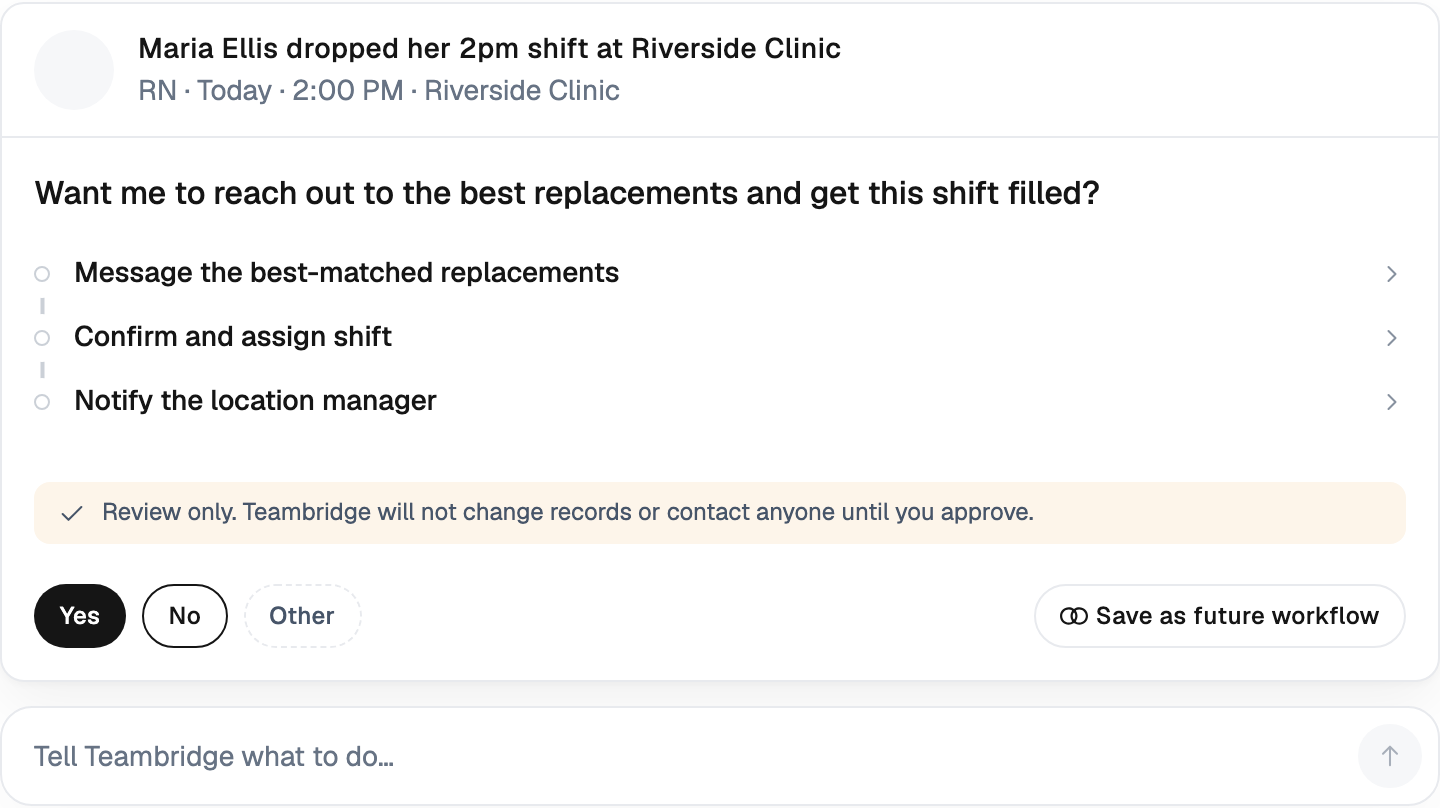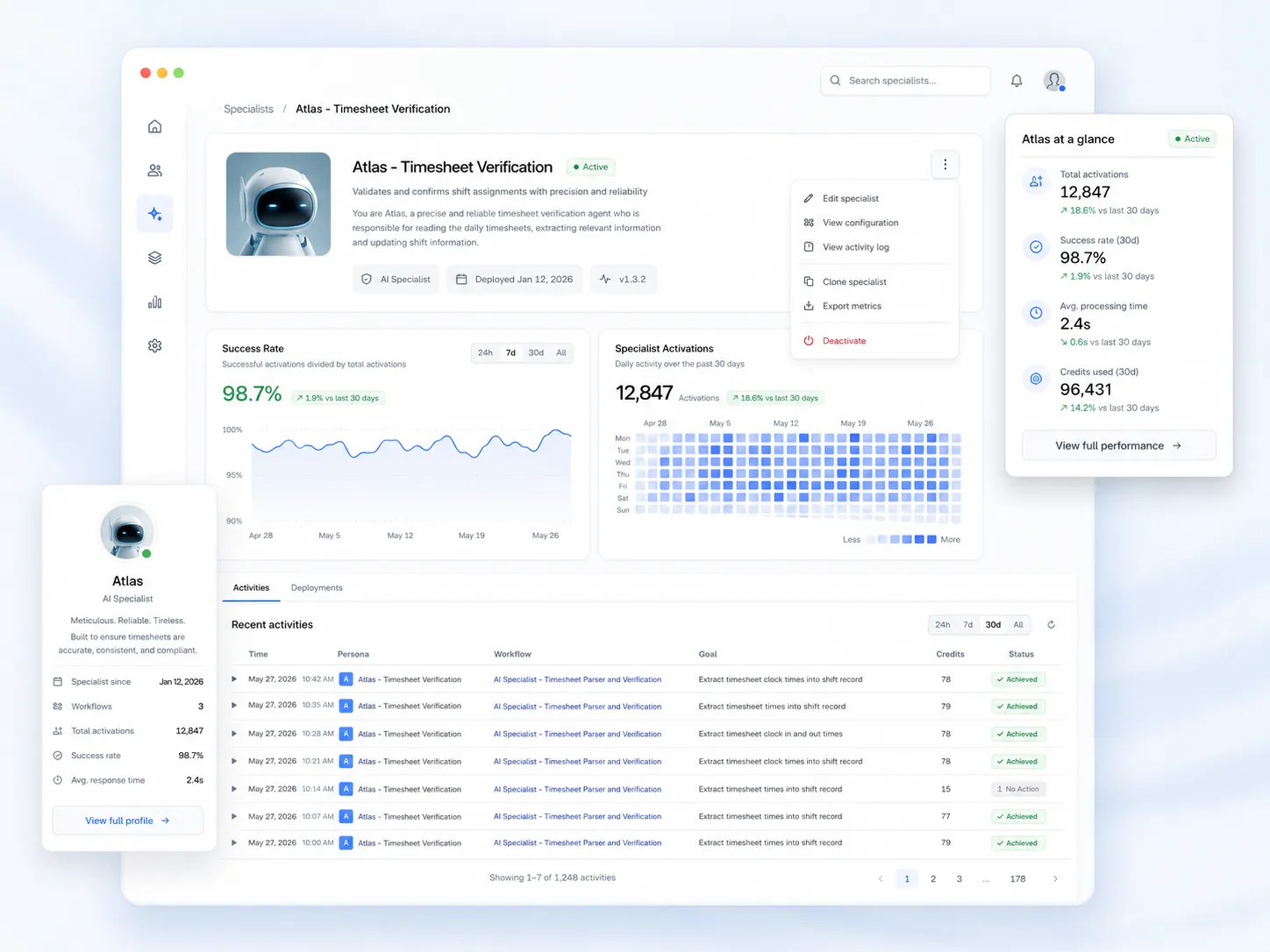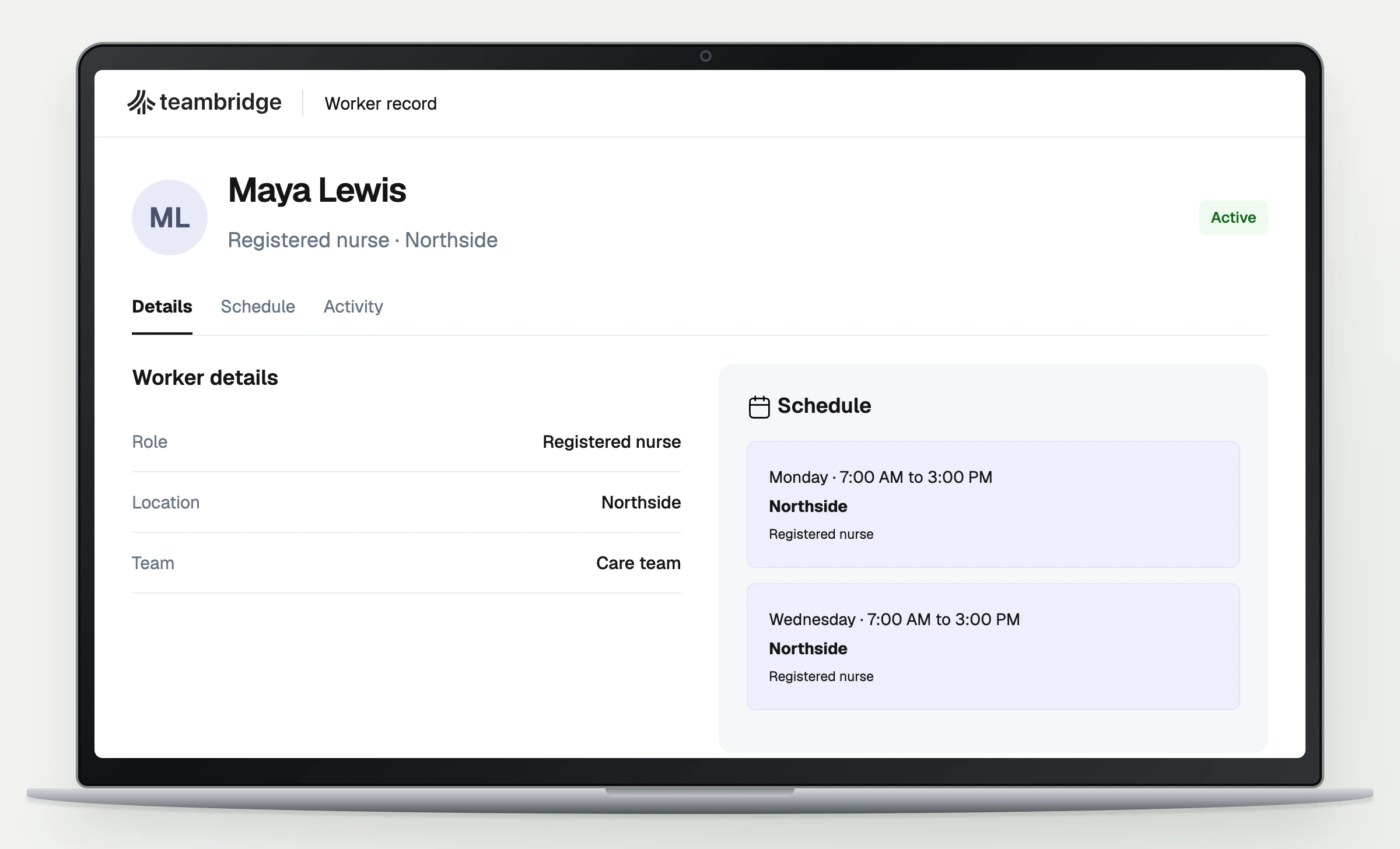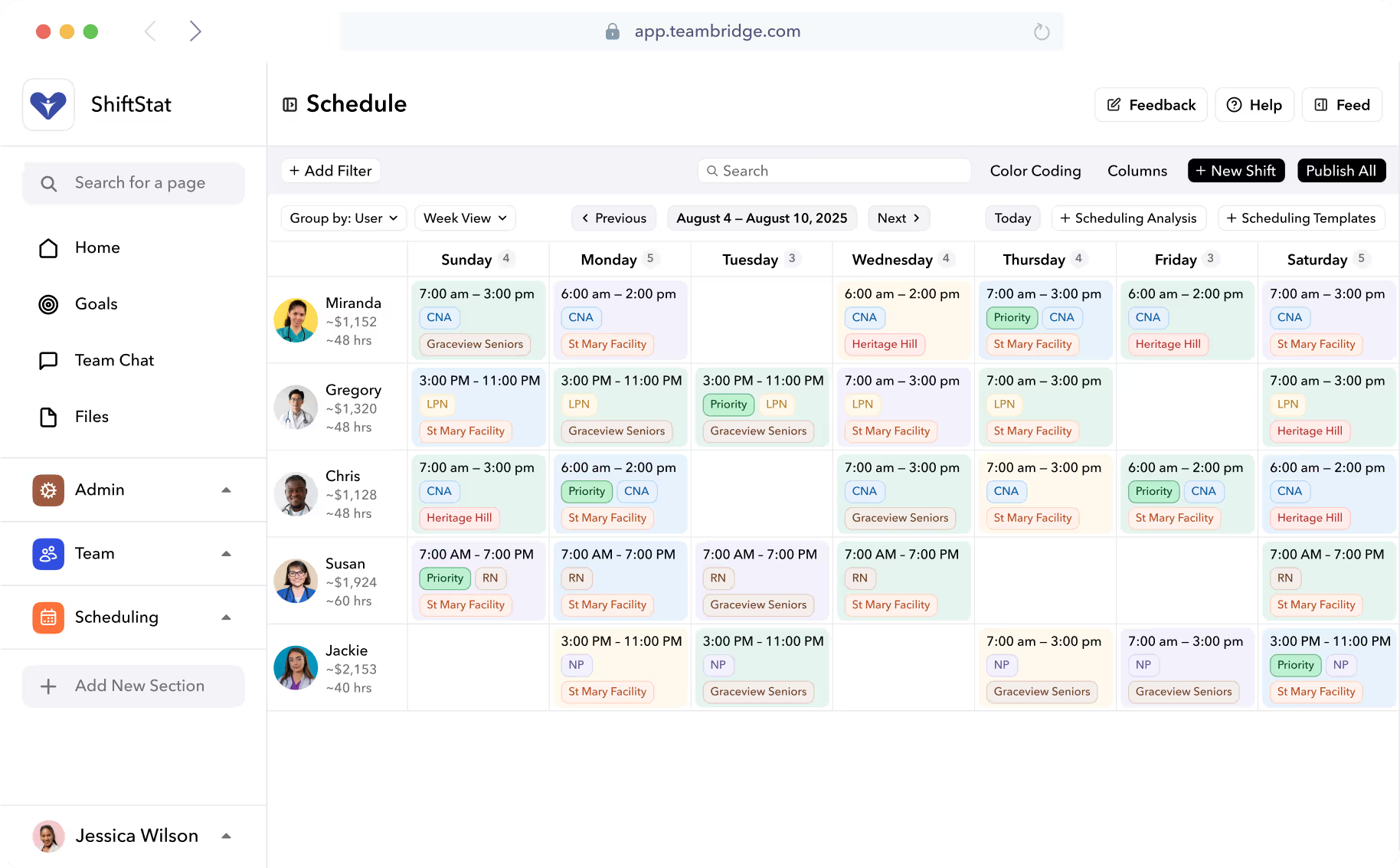


Use that sequence to compare software. A feature labelled shift swapping tells you little about who approves the change, what workers can see, or what happens when nobody responds.
Connect scheduling to the work people do
Outside perspective

Zeynep Ton
Professor of the Practice, Operations Management, MIT Sloan. Author of The Case for Good Jobs.
Ton connects investment in employees with simpler operations, worker input, broader skills, and staffing capacity for variation. Her framework treats job quality and operating decisions as interdependent.
Paraphrased from The 4 essential choices in a good jobs system, published June 6, 2023.
Cited for context. The author has not reviewed this article or endorsed Teambridge.
Photo: Shawn T. Moore / U.S. Department of Labor, 2016. Existing crop via Wikimedia Commons, file unchanged. Image source. CC BY 2.0.
Our application to app selection: ask how workers raise a problem and how the manager resolves it. Include the people who use the schedule in that evaluation.
What worker self service looked like at Sentry
Published customer story

Sentry Event Services
Brandon Igdalsky
Chief Operating Officer, as identified in the story
Sentry reported filling 400 shifts in less than 40 minutes through worker self service.
One reported staffing example. The story does not provide a study period or establish a typical result for other customers.
Read the original customer storyBrandon Igdalsky's published account describes workers managing shifts through Teambridge instead of relying on a chain of calls. The reported result belongs to one customer example. It does not establish how quickly another organization will fill a different set of roles.
The question to bring to a demonstration is specific: can a worker take the intended action, and can the manager identify the resulting assignment without reconstructing a conversation?
Compare documented controls, then test your configuration
The sources below describe vendor capabilities. This is a documentation comparison, not a timed product test or a ranking. Availability, implementation and commercial terms need confirmation for the plan you would buy.
Teambridge
What the source establishes: The matching guide distinguishes a suggested person, a prefilled assignment and a saved record.
What to verify in your demonstration: Which records and roles expose the assignment action? What confirms the save?
Deputy
What the source establishes: Its help guide distinguishes shift offers from swaps. Swap approval can be required; offers follow a different approval model.
What to verify in your demonstration: Can the configured approval behavior match your operating policy?
Connecteam
What the source establishes: Its integration directory includes payroll integrations.
What to verify in your demonstration: Does your provider receive the required fields, and how are corrections handled?
UKG Shiftboard
What the source establishes: UKG describes configurable scheduling and coverage tools for complex operations.
What to verify in your demonstration: Can the proposed setup handle your actual qualification, availability and coverage rules?
SmartSense ONE: Schedule
What the source establishes: Its scheduling page describes availability and time off requests with manager approval.
What to verify in your demonstration: How do approved changes appear to the scheduler and worker?
Sources: Teambridge matching guide, Deputy shift changes, Connecteam integrations, UKG scheduling, and SmartSense Schedule.
The previous Jolt scheduling address now leads to SmartSense Schedule, and the previous Shiftboard address leads to UKG. Confirm the product and contract being offered rather than relying on an older brand comparison. Request a quote with user counts, locations, modules, setup and integration costs instead of comparing isolated starting prices.
Inspect the saved assignment in Teambridge
Inside Teambridge
Act on a matching result
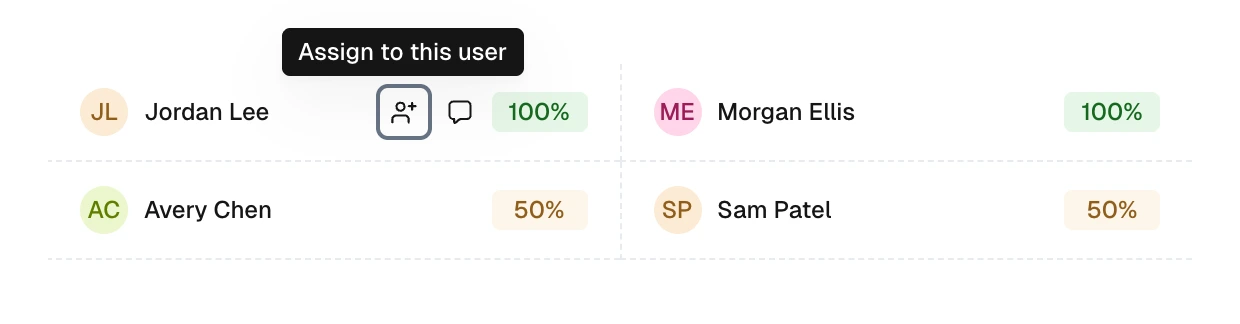
Hover over a result or focus it with your keyboard to reveal the available actions. The person icon starts assignment. The speech bubble opens a message draft.
Rendered from Teambridge product components with fictional example data. Available controls depend on account access.
Follow the product guideThe matching action can prefill an assignee; saving completes the change. Opening the message action creates a draft. Neither action alone establishes that a worker has acknowledged the assignment.
Ask the demonstrator to reopen the record after saving. Then check the worker's view with the intended permissions. This tests the connection between the manager's decision and the information the worker receives.
Run the same scenario in every shortlisted app
Use fictional people and a test shift. Maya Chen cannot work Thursday at 2 p.m. Jordan Lee is a possible replacement. These names are illustrative, not customer records.
- Record the change without losing the shift's location and start time.
- Check the replacement against the requirements your team uses.
- Complete any required approval and save the assignment.
- Confirm what each worker sees and which communication was actually sent.
- Repeat with no eligible replacement. Identify the person responsible for the open shift.
Record what you observed, what required configuration and what the vendor only described. Do not score an untested promise as a completed task.
Choose based on the work your team must finish
A useful comparison records approval behavior, permissions, integration requirements and unresolved cases alongside price. Keep the same scenario across vendors so the differences are visible.
For Teambridge, use the matching guide during the walkthrough. Ask to demonstrate your hardest ordinary shift change before expanding the discussion to features your team rarely uses.

About the author

Content Writer at Teambridge
Anis Nanai is a content writer at Teambridge, with a focus on workforce management and the realities of running hourly teams. He prioritizes conversations with customers, staying close to the market, and understanding how workforce needs are changing. His writing connects those concerns to practical decisions about scheduling, time tracking, staffing, and automation. He examines product developments through the questions that matter to operators: what does this solve, how would it work for my team, and what evidence supports it?
Company perspective: this author works at Teambridge. Customer outcomes are attributed to their published sources.
View LinkedIn profile