Reviewed September 2026
How to choose an employee engagement app
The best employee engagement app is the one workers can use during real work. Start with the actions employees need most, such as checking schedules, responding to messages, completing onboarding, sharing feedback, or receiving recognition. Then measure adoption and completed actions, not downloads alone.
Start with worker actions
List the recurring actions employees need to complete and the information managers must return. A focused workflow is easier to adopt than a crowded portal.
Test access and relevance
Confirm that workers can reach the app on their own devices and see only the schedules, messages, forms, and tasks relevant to their role.
Measure useful adoption
Track active workers, acknowledged messages, completed tasks, response time, open shift actions, and unresolved support requests.
Product boundary
Teambridge connects frontline communication with schedules, onboarding, documents, time, and workflows. It is not a corporate intranet, anonymous survey platform, or standalone rewards marketplace.
Employee engagement apps help employees receive updates, give feedback, or recognize colleagues. For hourly teams, choose by the job that needs doing: reaching the night shift, responding to crew concerns, recognizing good work, or filling an open shift. Those jobs do not all belong to the same product category.
Top Employee Engagement Apps
A missed night shift announcement and feedback that never reaches a manager need different fixes. Start with this shortlist, organized by use case rather than an unsupported ranking:
- Workvivo: consider for employee communication and workplace updates.
- Bonusly: consider for employee recognition and rewards.
- Culture Amp: consider Engage for engagement surveys and benchmarking.
- Workleap Officevibe: consider for pulse surveys and employee feedback.
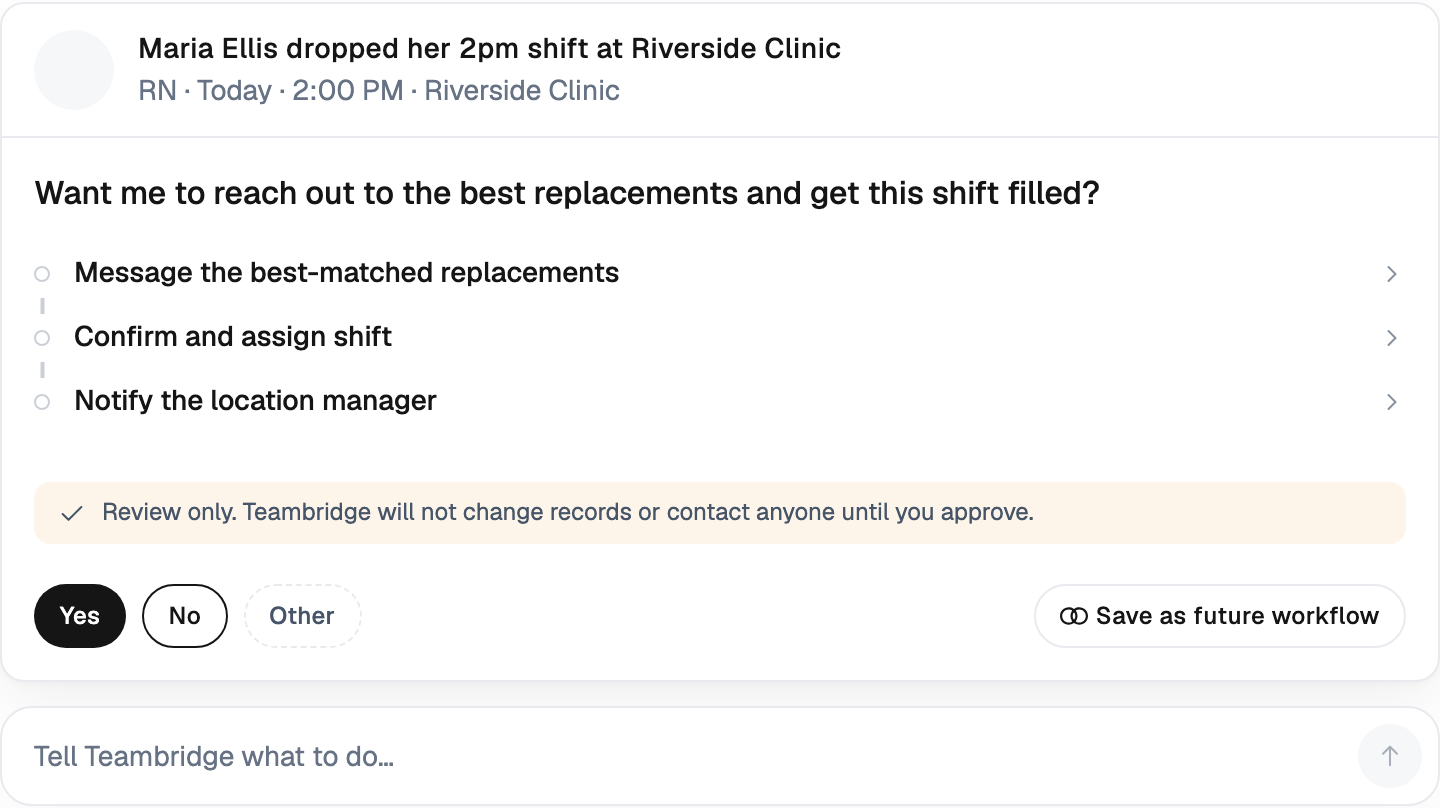
- Teambridge: consider for scheduling and open shift coverage within an all in one platform for hourly teams.
The purchase comparison below links the supporting vendor sources. Recognition features do not establish scheduling functionality, and a communications feed does not establish anonymous survey reporting.
What Are Employee Engagement Apps?
An employee engagement app, also called a staff engagement app, gives employees a way to receive workplace updates, share feedback, or recognize colleagues, depending on the product. For an hourly crew, the useful question is whether workers can complete that task during their shift with the access they actually have.
An employee app is the broader category. It can include schedules, timesheets, onboarding, and other workforce tasks. An employee communication app focuses on messages and updates, without necessarily including surveys, rewards, or scheduling.
These distinctions matter when writing a purchase brief. “Improve engagement” is too vague to test. “Make the revised opening procedure available to every opening crew before work starts” gives a manager something concrete to evaluate.
App adoption alone does not establish higher productivity or better retention. Those outcomes need separate evidence.
Compare pricing, purchase terms, and product boundaries
The comparison uses primary vendor sources from research checked November 17, 2026. Prices and packaging are evidence snapshots, not purchase commitments; reconfirm them before publication and procurement. Unverified minimum seats mean confirm with vendor, not “no minimum.”
| Product and source | Use case | Public pricing basis | Minimum seats | Purchase caveat and evidence limit |
|---|---|---|---|---|
| Workvivo | Employee communication and audience targeting | Customized proposal | Confirm with vendor | Confirm the quoted package. Do not assume chat, digital signage, or deeper analytics are included. |
| Bonusly | Recognition and rewards | Team without Bizy lists $3 per user monthly or $30 per user annually; rewards spending is separate | Confirm with vendor | The page presents monthly billing but also says all plans are billed annually. Get billing frequency and contract commitment in writing. |
| Culture Amp | Engage for surveys and benchmarking; Perform for performance management | Quote based on employee count, product, and service tier; annual billing | Confirm with vendor | Engage and Perform are distinct products. Published organization size bands do not establish minimum seats. |
| Workleap Officevibe | Pulse surveys and feedback | Workleap pricing lists Standard at $4,999 USD plus $32 per manager per month under annual billing | Confirm with vendor | This is Workleap packaging, not verified standalone Officevibe pricing. Confirm the base fee period, included products, and manager definition. |
| Teambridge scheduling | Scheduling and open shift coverage | Pricing omitted from this comparison | Confirm with vendor | Scheduling evidence covers shift creation, eligible workers, mobile claims, and confirmed assignments returning to the schedule. It does not establish anonymous surveys or rewards. |
Compare the complete purchase, not just the displayed unit price. Ask which workers need accounts, how seasonal headcount affects billing, what implementation requires, and whether the feature demonstrated belongs to the quoted package. For recognition, keep the software subscription and rewards budget separate.
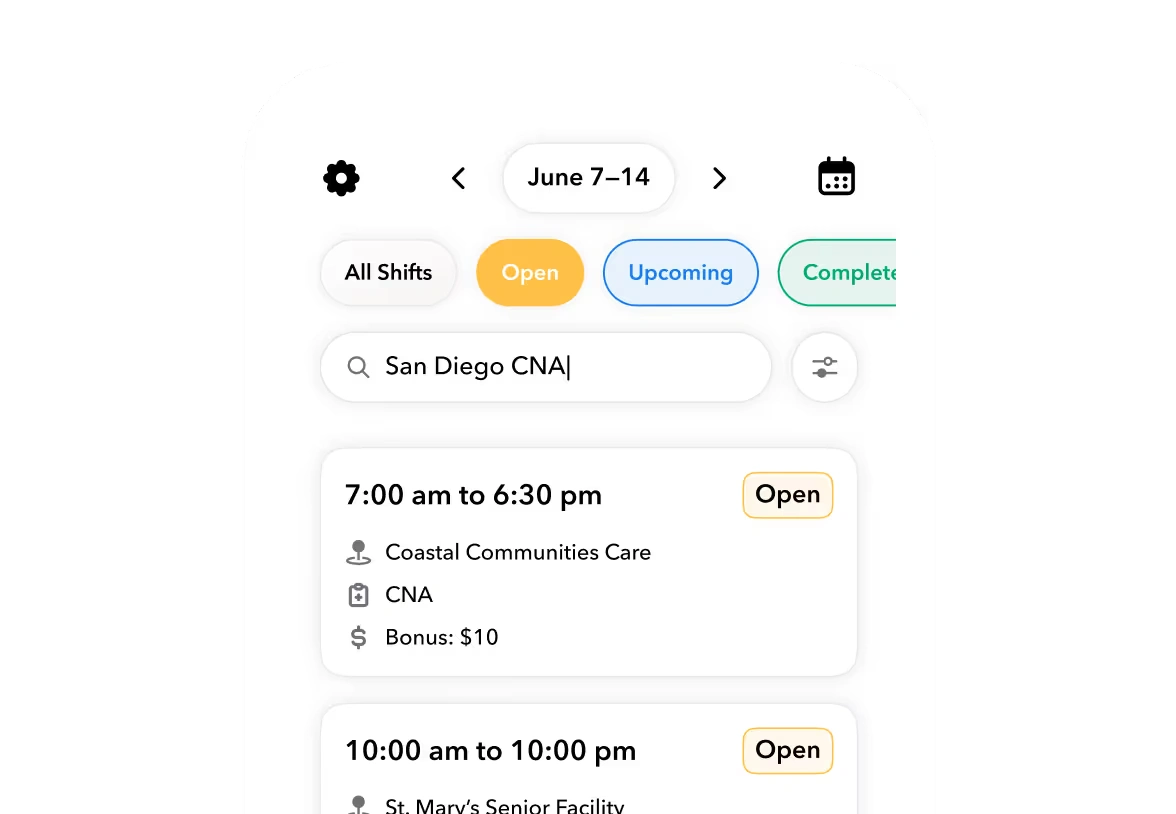
For Teambridge, the scheduling workflow is the relevant distinction. The scheduling product page describes publishing shifts, selecting eligible workers, and returning confirmed assignments to the schedule. That is a workforce operations use case, not evidence of a dedicated employee sentiment platform.
Frontline access requires more than a mobile app
A mobile app can still depend on an identity system your crew does not use. A workplace screen can show an announcement without giving employees private access to feedback. Test those requirements separately.
The matrix below deliberately leaves unresolved requirements open. Confirm in demo means the reviewed sources do not settle the question, not that the feature is absent.
| Product | Without company email | Shift and site targeting | Multilingual access | Shared device sessions | Scheduling connection |
|---|---|---|---|---|---|
| Workvivo | Documented; test setup and recovery | Role, location, team, and group targeting documented; test shift membership | Localization documented; test content translation separately | Screens documented; private sessions need testing | Confirm in demo |
| Bonusly | Confirm in demo | Confirm in demo | Confirm in demo | Confirm in demo | Integration listings do not establish schedule writeback |
| Culture Amp | Confirm in demo | Confirm in demo | Confirm in demo | Confirm in demo | Confirm in demo |
| Workleap Officevibe | Confirm in demo | Confirm in demo | Confirm in demo | Confirm in demo | Confirm in demo |
| Teambridge | Confirm in demo | Eligible worker selection documented; test the required shift and site rules | Confirm in demo | Confirm in demo | Claimed assignments return to its schedule; test any external connection separately |
Workvivo documents access without company email, but your demo should still cover account recovery when a worker changes phone numbers or loses access. Its localization documentation distinguishes interface language from employee generated content. A translated menu does not prove that an urgent announcement will appear correctly in the crew's preferred language.
Operator view
Supporting evidence
https://support.workvivo.com/hc/en-gb/articles/4918158211485-Localization-on-Web-and-Mobile
https://www.workvivo.com/communications/
For scheduling integrations, ask to see a changed assignment saved in the destination system. Record which system owns the assignment, which direction updates travel, and what happens when a connection fails. An integration logo does not answer any of those questions.
Put the workflow into practice
See how your team could use this workflow
How to Choose the Right Employee Engagement App
Use this demo acceptance sheet as an editorial evaluation tool, not a vendor feature list. Copy it into your evaluation document and agree on pass criteria before the demonstration. Mark requirements outside the selected use case as not applicable rather than forcing every product to do every job.
| Owner | Test | Expected result | Observed evidence | Pass or fail |
|---|---|---|---|---|
| Operations manager | Send an announcement to one site's night shift. Check recipients, acknowledgments, and off duty notifications. | Only the intended audience receives it; acknowledgment evidence is available if required; notification behavior matches the agreed policy. | Record recipients, delivery settings, saved acknowledgment record, and exceptions: ___ | ___ |
| HR | Test small crew survey results using manager and administrator accounts. Apply filters and inspect comments and exports. | Reporting follows documented thresholds and permissions; visibility risks are explained before workers respond. | Record hidden and visible results, reporting windows, comments, and export behavior: ___ | ___ |
| IT | Provision a worker without company email, recover the account, and switch users on a shared device. | An approved identity and recovery path works; the next worker cannot access the prior session. | Record required setup, recovery steps, cached data, and sign out result: ___ | ___ |
| Scheduling lead | Change an assignment, inspect saved records, and test a failed update. | The correct assignment persists; update direction and delay meet the agreed requirement; errors reach an owner. | Record permissions, destination record, elapsed time, error message, and remaining manual work: ___ | ___ |
Ask the vendor to demonstrate these tests using the roles you will actually grant. An administrator completing a task does not prove a shift supervisor can complete it. Record the saved state after each action, not just what appeared briefly on screen.
Hypothetical completed entry: the scheduling lead changes an assignment in a test environment using supervisor access. The destination retains the old assignment, and no visible error reaches the supervisor. Record “old assignment remains; manual correction required” as observed evidence and “fail pending retest” as the result, with a named internal owner for escalation.
Small crew feedback needs a separate privacy test
Officevibe's anonymity documentation specifies three active respondents for aggregate scores. Metric and submetric reporting uses a 90 day window ending at the selected period end. Anonymous written answers generally require five active members, while Custom Survey written answers require five respondents to the question; identified answers are exempt from that threshold.
The same documentation explains that the Question report uses a three to six month window and a team level threshold. Once that threshold is met, a question distribution can appear even when only one person answered that particular question. Written answers appear individually, with visibility depending on role.
Warning
Five people on a crew does not guarantee anonymity. HR should test reporting windows, filters, written comments, exports, and manager permissions before describing feedback as anonymous.
A comment about a unique incident may identify its writer even when the software hides their name. Explain that limitation to employees and provide another route for sensitive concerns.
Pilot the app across day and night shifts with paid onboarding
Hypothetical rollout: assume two shifts, two baseline weeks, and four pilot weeks. These are planning assumptions, not customer results. Assign the operations manager as pilot owner, with HR responsible for reviewing pay and privacy requirements.
- Establish the baseline. Record the selected problem separately for day and night shifts. Keep the announcement process, staffing changes, and current escalation route visible so the comparison has context.
- Train during paid shift time. Teach the specific task: finding an update, submitting feedback, giving recognition, or claiming an open shift. Offer a company device alternative to personal phone use, and validate secure sign out before sharing devices.
- Run the pilot with explicit boundaries. Test off duty notification settings and define a separate urgent coverage route. Give workers a clear way to report login failures or missing information without relying on the app that has failed.
The U.S. Department of Labor says training can be excluded from hours worked only when all four conditions apply: it occurs outside regular hours, attendance is voluntary, it is unrelated to the job, and no productive work occurs. Required app training should not be treated as unpaid simply because employees complete it on a phone. HR should also check applicable state requirements.
Do not build the pilot around an expectation of constant availability. Decide which updates can wait until the next shift and how urgent coverage requests will be handled under your workplace rules.
If Teambridge is being evaluated for the broader workforce workflow, its onboarding and credential tracking are relevant to worker readiness. That does not establish that every privacy, device, or notification control in this pilot is a Teambridge feature; those remain acceptance tests.
Measure missed announcements and coverage by shift
The operations manager should compare baseline and pilot results separately for day and night shifts. A combined average can hide a night crew that still cannot receive the update before work starts.
For communication, record missed acknowledgments against announcements requiring acknowledgment, along with the number of intended recipients. For coverage, compare uncovered shifts against scheduled shifts. Record manager follow up minutes over comparable periods and explain any change in workload.
Choose measures that match the product's job. A feedback pilot should track whether submitted issues receive a response and whether promised actions are completed. A recognition pilot should examine participation across shifts rather than claim it improved coverage.
App opens show reach. They do not prove better coverage, higher productivity, or lower turnover.
Record staffing changes, seasonal demand, manager changes, and other conditions that could explain a difference. Present eventual results with their denominators and time periods. If the evidence is mixed, extend the test or narrow the intended use instead of declaring success from activity alone.
Choose the app that handles the work your crews need
Choose Workvivo when the purchase centers on communication, Bonusly when it centers on recognition, and Culture Amp Engage or Officevibe when it centers on feedback. The final decision still depends on package scope, worker access, and the acceptance tests your team passes.
Teambridge is the all in one platform for hourly teams, tailored to each company, with scheduling, time tracking and timesheets, onboarding, and credential tracking. Evaluate it when the work is managing shifts and workforce operations. Do not infer anonymous survey or rewards capabilities from that scope.
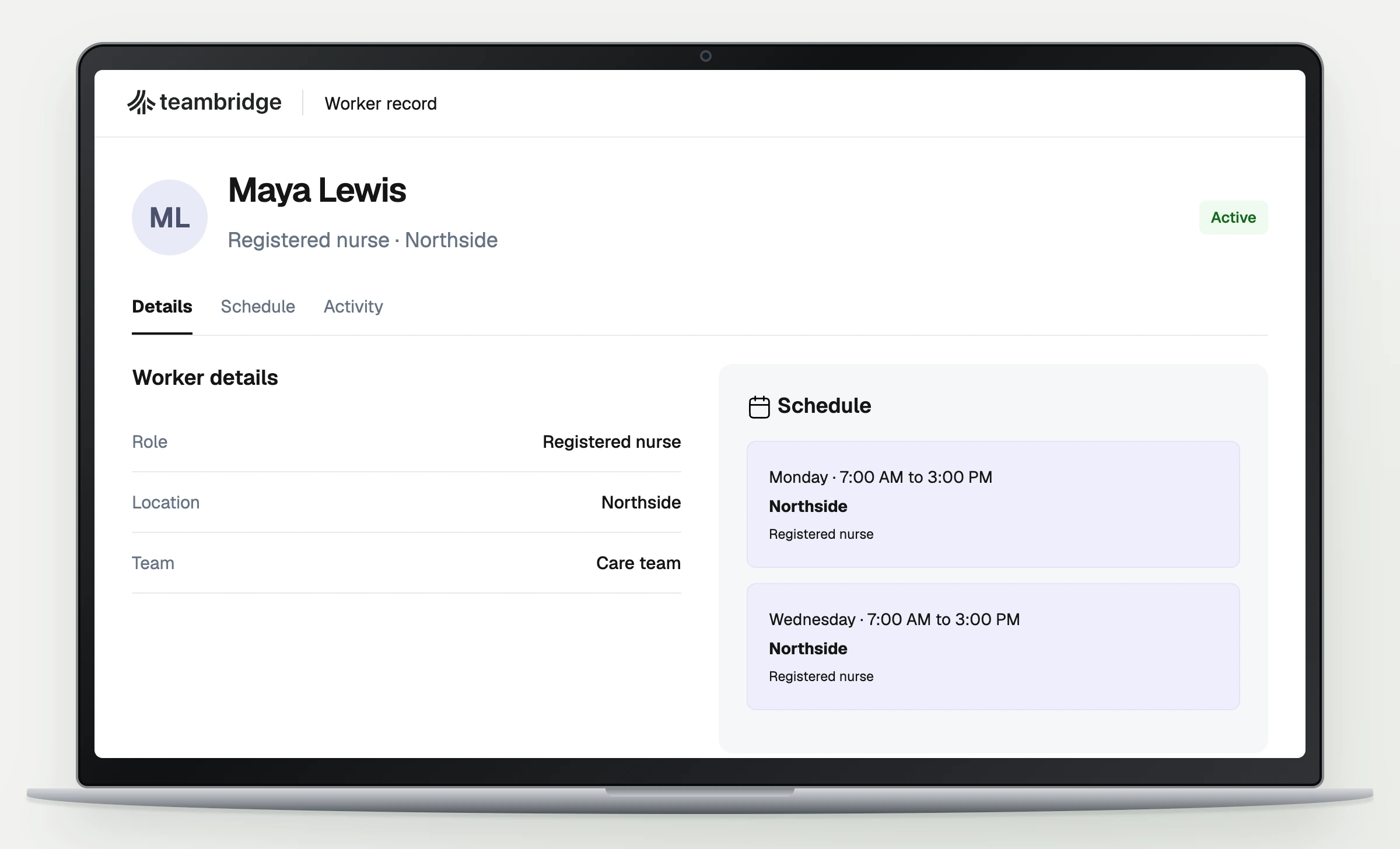
The product view should show only the scheduling functionality visible in the approved capture. It should not stand in for evidence of permissions, integrations, or exception handling.
If open shift coverage is the immediate problem, review Teambridge scheduling and bring your completed acceptance sheet to a demo. Buy against the task your crews need to complete and the evidence your managers can inspect.

Put this research into operation
Connect targeted messages and worker responses to the schedules, actions, and records that give communication context. frontline communication software.
Give workers one mobile place for schedules, messages, open work, onboarding, documents, tasks, and time. mobile workforce app.
Use current workforce signals and an operating scorecard to connect engagement choices with measurable frontline results. United States Workforce Management Report.
About the author
Content Writer at Teambridge
Anis Nanai is a content writer at Teambridge, with a focus on workforce management and the realities of running hourly teams. He prioritizes conversations with customers, staying close to the market, and understanding how workforce needs are changing. His writing connects those concerns to practical decisions about scheduling, time tracking, staffing, and automation. He examines product developments through the questions that matter to operators: what does this solve, how would it work for my team, and what evidence supports it?
Company perspective: this author works at Teambridge. Customer outcomes are attributed to their published sources.
View LinkedIn profile